
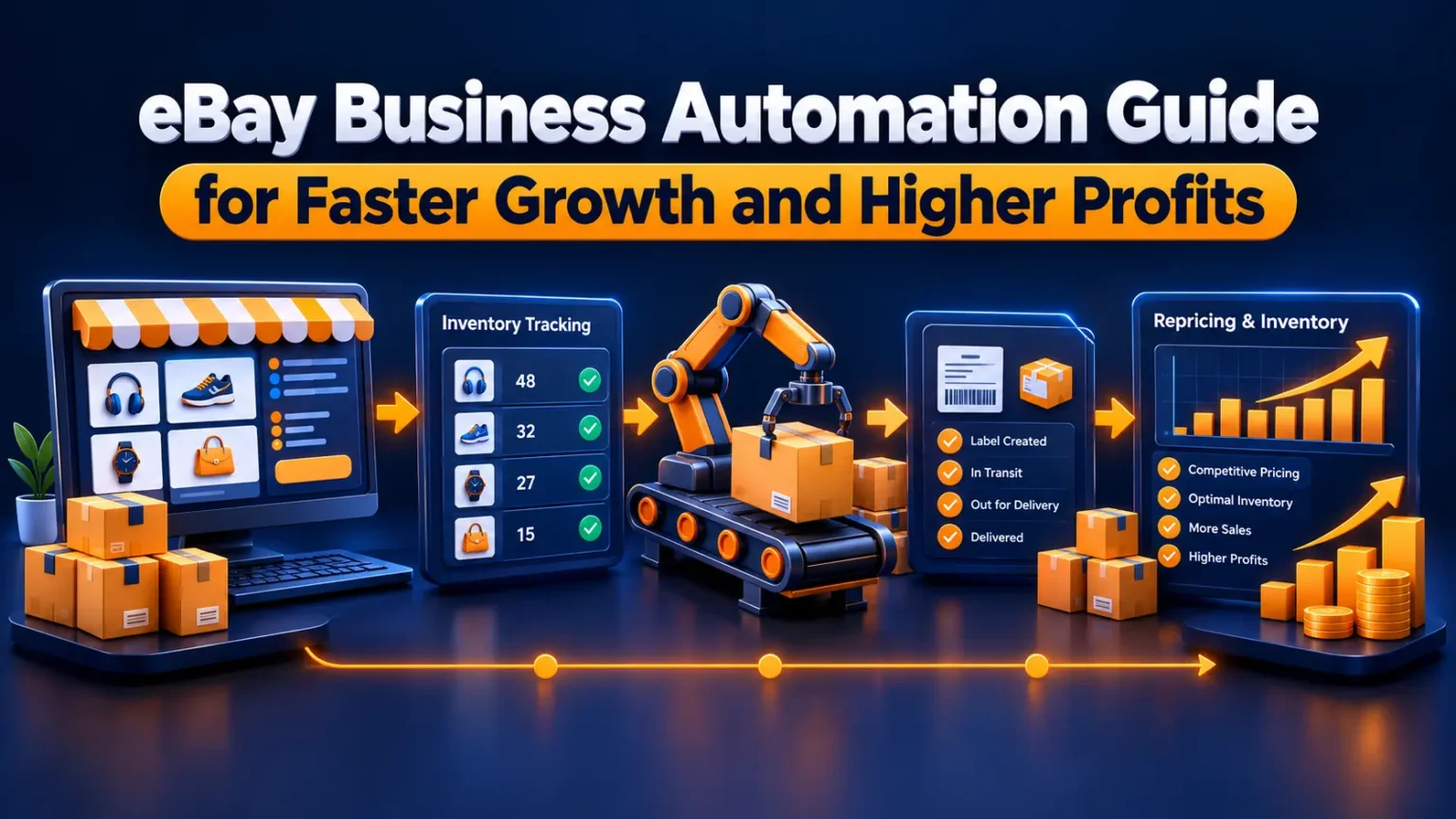
It’s a Thursday night, and your dining table has disappeared under a pile of bubble mailers. That’s usually the moment eBay business automation stops sounding like a luxury and starts sounding like a rescue. Twelve orders need labels, three buyers are waiting on replies, and a box of new stock sits there, unlisted.
Sales are up, which is great. But somewhere along the way, the job changed from selling things to typing the same sentences forty times a day. You haven’t done anything wrong. You’ve just outgrown the by-hand method.
Plenty of sellers assume automation is only for big stores with warehouses and staff. It isn’t. If you list and ship even a few dozen items a month, a handful of small changes can hand you back hours every week. Here’s what to automate, what order to tackle it in, and where people tend to trip.
Why eBay Business Automation Pays Off Sooner Than You’d Expect
Here’s what happens in a busy season. Orders double, maybe triple around the holidays, but you’re still stuck with the same 24 hours. Each new listing brings a bit more upkeep with it, and sooner or later the upkeep wins.
Automation takes some of that weight off. It handles the jobs you repeat every single day, and it catches the dumb slips, like a price with an extra zero or a tracking number you never uploaded. You can also take on more orders without that underwater feeling.
I can’t promise a revenue bump, since that depends on what you sell and how you run things. Still, a calm shop tends to do better than one that’s always on fire. Quicker handling and fewer errors also protect your seller metrics, and that matters over the long run.
Find the Task That Eats Your Week
Don’t try to automate everything in one weekend. I’ve watched people do it, and they usually end up with a tangled setup and a foul mood by Sunday night. Choose one job and get it working properly first.
Not sure which one to pick? Jot down what you do for three days. Every task counts, from photographing items to answering messages, along with roughly how long each one took. The winner can surprise you. You might expect shipping to be the worst and find out it’s actually listing.
Once you know, shopping for tools gets much easier. You’re solving a real problem instead of paying for features you’ll never touch. For a lot of sellers the culprit is listing, so let’s start there.
Why Listings Are the Easiest Win for eBay Business Automation
Writing listings is slow mostly because so much of it repeats. You paste the same shipping blurb, the same returns text, and the same condition notes, again and again. That’s exactly the kind of work software handles well.
Templates come first. Write the repeated parts once, save them, and reuse them. After that, if you want to automate eBay listings properly, move on to bulk uploads through a spreadsheet or eBay’s own bulk tools. Selling on other sites too? A multichannel tool can send one product record to several marketplaces at once.
Take Maya, who sells vintage kitchenware. Ten listings used to cost her about two hours. Once she built a template and a basic spreadsheet, the same batch went much faster, and her titles started looking consistent. That consistency made her items easier for buyers to find.
Stop Overselling With eBay Inventory Sync
Here’s how overselling goes wrong. A buyer pays for your last unit, but it already sold somewhere else an hour ago. Now you’re cancelling, apologizing, and watching your metrics take a ding. It mostly happens when you sell the same item on more than one channel.
eBay inventory sync fixes this by updating your quantities everywhere the second something sells. If you only sell on eBay, you still have options. A tidy SKU system and low-stock alerts go a surprisingly long way.
Dan sells phone accessories on eBay and on his own website. One afternoon he sold the same last case twice, then spent the evening apologizing and issuing a refund. He connected his two channels the following week, and the problem stopped. It’s a small fix, but it spared him a repeat of that awkward evening.
Use eBay Repricing, But Set a Floor
Repricing tools change your prices based on rules you write. Maybe you match the lowest seller, or sit a few cents under the average. It sounds smart, and it can be. There’s a trap, though.
Skip the minimum price, and the rule can chase competitors straight down to a loss. So set a floor that covers your item cost, eBay’s fees, and shipping. Say an item costs you twelve dollars, and fees plus postage add another six. A floor below eighteen means you’re paying to sell it.
If the tool can’t cross that line, it can’t hurt you. Check back on your rules every so often, too. Competitors shift tactics and fees creep up, so something that made sense in March can look silly by October.
Cut the Clicking With eBay Order Management
Once orders land, the grind starts. Print one label, copy one tracking number, sort one pile, repeat. None of it is hard. It’s just endless.
A decent eBay order management tool puts all your orders on one screen. You can print labels in a batch, let tracking numbers upload themselves, and set shipping rules by weight or destination. That way you stop making the same decision twenty times, and buyers get their updates sooner.
Say you ship twenty orders every Friday. By hand, that might swallow an hour or more. With batch printing, it should shrink noticeably. I won’t promise a figure, since setups differ, but most sellers feel the difference right away.
There’s a quieter benefit, too. When tracking uploads on its own, fewer buyers write in asking where their package is. That means fewer interruptions in your day.
Automate Messages, Keep the Human Parts
The routine questions are the easy ones to hand off. Think shipping times, order confirmations, and a quick note once the package is delivered. Buyers just want a fast, clear answer, and a saved reply gives them that.
Problems are different. If someone tells you their mug arrived cracked, a canned line feels cold. A short note in your own words can turn a rotten moment into a good review.
Which questions land in your inbox most often? Start with those. Keep the returns, the damage claims, and the angry buyers for yourself.
Compare eBay Automation Tools Before You Pay
Lots of eBay automation tools are out there, and the best one depends on what you sell and how you work. Compare a few things side by side so a slick sales page doesn’t steer you.
Start with fit. Does the tool fix your biggest time drain, or does it mostly add features? Next, check integration. It should connect through eBay’s official channels and play nicely with your shipping and accounting setup.
Then look at the pricing model. A flat monthly fee, a per-listing charge, and a cut of your sales all grow very differently as your shop does. Finally, test the support, because you’ll want a real person when something breaks mid-sale.
Prices change often, so I won’t quote any. Check each vendor’s current plans yourself, use free trials, and test on a small batch of listings before you commit your whole catalog.
Mistakes Worth Dodging
Automating a messy process is the big one. If your listings are weak, you’ll just produce weak ones faster. Fix the basics first, then speed them up.
Close behind is skipping price floors, which quietly drains your profit. Canned messages that don’t match the question come next, and buyers spot those instantly. Also, read eBay’s policies on messaging, listings, and third-party tools before you switch anything on.
Last, don’t set it and forget it. Look over your rules monthly, since fees and competition keep shifting. Most of these slips come from rushing, so go slowly at the start.
A Rollout That Won’t Overwhelm You
Spend week one tracking your time, nothing more. In week two, build your listing templates and a basic SKU system. Weeks three and four are for batch shipping and automatic tracking uploads.
In month two, add repricing with firm margin floors. Month three is a good time for inventory syncing and saved messages. Because each step builds on the one before it, nothing ever feels like too much at once.
Once it’s running, keep an eye on three numbers: handling time, returns, and profit per item. When one slips, look at the rule behind it before anything else. Paced like this, eBay business automation never turns into a second job, and small tweaks do more than big overhauls.
Your Next Step
Pick the job that drains you most, whether it’s listing, shipping, or repricing, and automate just that one. Then leave it alone for two weeks before you decide how it’s working.
Good eBay business automation grows slowly and gets tested often. So tonight, before you tape up another box, spend ten minutes listing your three biggest time sinks. Tomorrow, choose one and get started.