
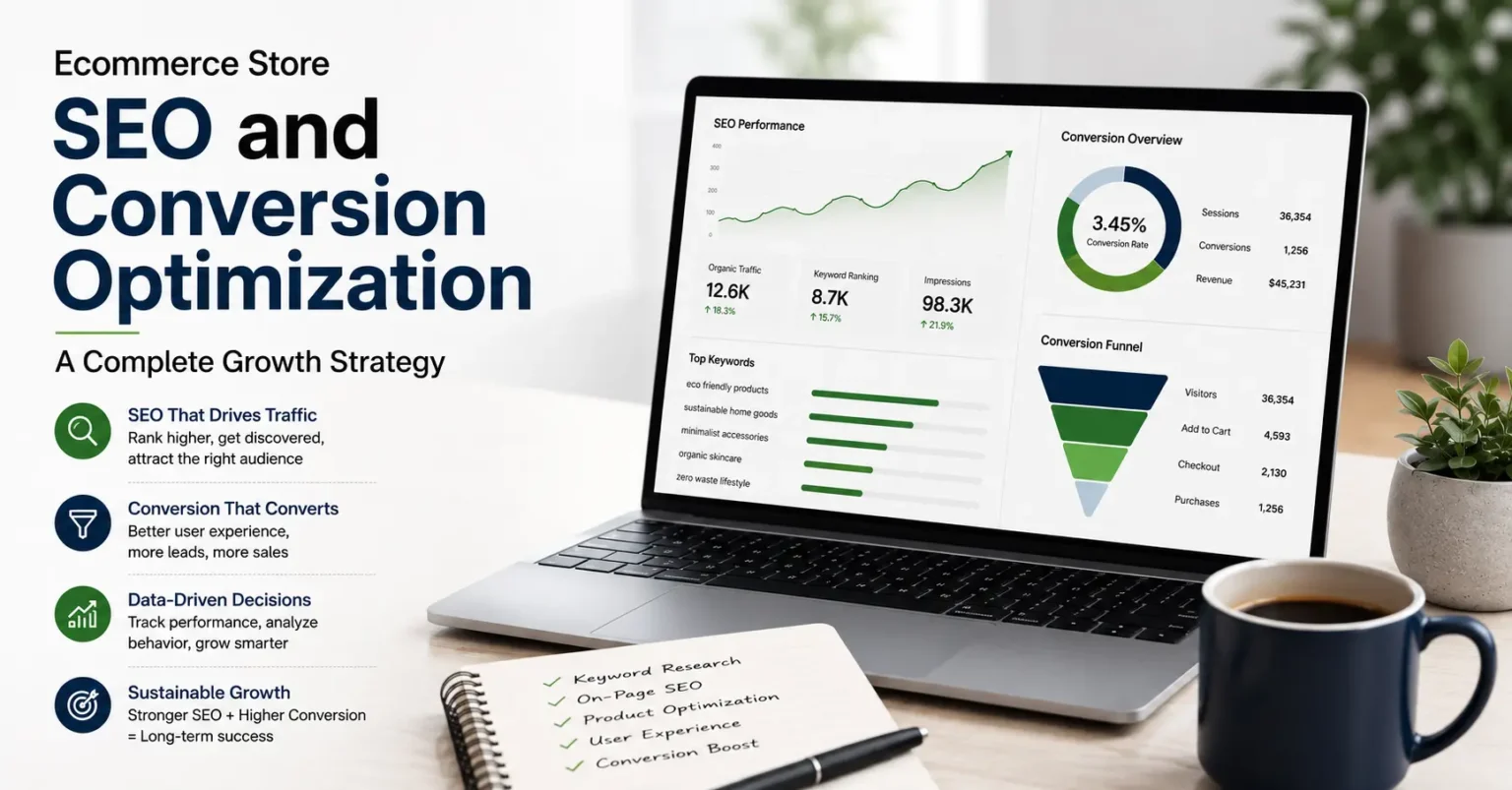
I spent the first eight months of running my ecommerce store completely focused on getting traffic. I was obsessed with it. More visitors meant more sales, at least that was the logic I was operating on. So I ran ads, posted on social media, and did whatever I could to get people clicking through to my site. And people did come. But they left. Most of them within seconds. My conversion rate was sitting below one percent and I had no real explanation for why. It was only after a frustrating conversation with another seller who had been doing this longer than me that I finally understood what I was missing. He asked me one question. Are you working on ecommerce store seo and conversion optimization together or are you treating them like two different things? I did not even know they were supposed to be connected. That conversation changed how I approached everything.
Why These Two Things Cannot Be Separated
I used to have SEO on one list and conversion rate work on another. SEO was about getting found. Conversion was about getting sales. Made sense to me at the time. The problem is Google does not see them as separate either.
When someone lands on your store and leaves in three seconds, Google records that. When someone lands, browses around, adds something to their cart and buys, Google records that too. The behavior of your visitors tells the algorithm whether your store deserved to rank for that search or not. So if your pages are not converting, your rankings quietly start sliding even if you have done everything else right technically.
I noticed this pattern on one of my category pages. Traffic was decent but people were bouncing fast. Over about six weeks my ranking dropped from position four to position eleven for my main keyword. Nothing had changed in terms of backlinks or technical setup. The only thing Google was responding to was that shoppers were not finding what they wanted when they arrived. Fixing the page experience brought the ranking back up. That taught me more than any SEO course I had taken.
Building the Right SEO Foundation Before Anything Else
Finding Keywords That Actually Belong to Buyers
There is a big difference between someone searching for information and someone searching because they want to buy something. Early on I was ranking for informational terms that brought readers to my store who had zero intention of purchasing. Nice for vanity metrics. Terrible for revenue.
The shift that made a real difference was focusing almost entirely on what people search when they are close to making a purchase. Specific product names, comparison phrases, terms with words like buy or best or under a certain price point. These searches have lower volume sometimes but the people behind them are actually ready to spend money. I would take a hundred visitors like that over a thousand curious browsers any day of the week.
I started building my keyword list by typing my products into Google and paying close attention to the autocomplete suggestions. Real people created those suggestions through real searches. From there I would take the most relevant ones into a tool like Ubersuggest to understand monthly search volume and how competitive they were. The sweet spot was always specific phrases with real volume that the giant retailers had not bothered to target because the numbers were too small for them. For a smaller independent store those are golden.
How You Organize Your Store Matters More Than You Think
Site structure is one of those things nobody talks about enough in ecommerce. When I first set up my store I organized categories the way it made sense to me as the seller. That was the mistake. Shoppers do not think about products the way sellers do. They think about what they are trying to accomplish or what problem they are trying to solve.
When I reorganized my navigation to reflect how my actual customers described what they were looking for, using their language rather than my internal logic, time on site went up and people started finding products they had not been finding before. Google also crawled the site more effectively because the structure was cleaner and more logical.
Every main category page also needs some written content on it. Not a wall of text nobody reads but a short honest paragraph or two that explains what this section of the store is about and who it is for. Those few sentences help Google understand the page and help a first time visitor feel oriented. Both of those things matter.
What Good Product Page SEO Actually Looks Like
Product pages are where most ecommerce stores either earn their rankings or quietly lose them. I have come across stores with hundreds of products where every single page had a copied manufacturer description and a title that looked like it was generated by a formula. Those pages do not rank because Google has seen that exact content a hundred times already.
Every product page on your store needs to feel like it was written by someone who actually knows and uses that product. The title should include the product name and a natural keyword phrase that a buyer would realistically search. The meta description should give a real reason to click, not just repeat the title with different word order. And the description on the page itself should go somewhere beyond listing specs.
When I started rewriting product descriptions to include who the product is best for, what situation it solves, and what makes it worth choosing over alternatives, the organic traffic to those pages started climbing within about six weeks. I was not doing anything complicated. I was just treating the content like it was written for a real person because it was.
Images Are Slowing Your Store Down and You Probably Do Not Know It
This one caught me completely off guard. I had been uploading product photos at whatever size they came in from my supplier or photographer without giving it a second thought. When I finally ran my store through Google PageSpeed Insights the image sizes were flagged immediately. Some of my product images were three or four times larger than they needed to be for how they were being displayed.
Compressing every image before upload cut my average page load time significantly. The difference in how the store felt on mobile especially was noticeable even just from clicking around myself. Faster pages rank better and they convert better too because people do not abandon a page that loads quickly the way they abandon one that makes them wait.
Alt text on images is another small thing with real payoff. A short accurate description of what is in each image helps Google understand your visual content and opens up image search as an additional traffic source. It also makes your store more accessible which is worth doing regardless of any SEO benefit.
The Technical Side That Most Store Owners Ignore Until It Is Too Late
Page Speed Is Both a Ranking Factor and a Revenue Problem
I already mentioned images but page speed deserves its own section because there are usually multiple things dragging it down at once. On my store it was a combination of oversized images, a couple of apps I had installed and forgotten about that were adding unnecessary code to every page, and fonts being loaded in a way that blocked other things from rendering.
None of these were obvious from just browsing the store normally. Everything looked fine to me. But Google PageSpeed Insights and GTmetrix showed a different picture. Working through that list of issues took about a week but the results showed up in both rankings and bounce rate within the following month.
Your Mobile Experience Is Probably Worse Than You Think
For a long time I only ever checked my store on my laptop. Everything looked good to me so I assumed it was fine everywhere. It was not. When I finally went through the entire purchase journey on my actual phone I found a checkout button that was awkward to tap, product images that were not loading in the right order, and a coupon code field that was almost impossible to use on a small screen keyboard.
Google now indexes the mobile version of your site first. That means your mobile experience is essentially your main experience as far as rankings are concerned. Fixing the mobile issues on my store was one of the highest return things I did that year and it was mostly just a matter of actually testing on a phone and fixing what felt broken.
Getting Visitors to Actually Buy Once They Arrive
Trust Is the Thing Standing Between You and the Sale
When someone lands on a store they have never bought from before, there is always a moment of hesitation. Is this store real. Will my order actually arrive. What happens if something goes wrong. Every trust signal you add to your store is chipping away at that hesitation.
The things that made the most visible difference on my store were customer reviews shown clearly on product pages, a return policy written in plain English rather than legal language, a working contact email or live chat option visible without having to hunt for it, and a security badge near the checkout button. None of this took long to add. But together it changed how first time visitors behaved on the site in a way I could see in the data.
Checkout Is Where Most Stores Quietly Lose Money
People who add something to their cart already want to buy. They have made that decision. What makes them abandon is something in the checkout process that creates friction or surprise. The most common culprits are shipping costs that only appear at the last step, being forced to create an account before completing a purchase, and a form that asks for too much unnecessary information.
I went through my checkout and removed every field that was not strictly necessary to complete the order. To make the process easier, I added a guest checkout option. Shipping cost estimates were also moved to the cart page so customers would not face any surprises at the final step. As a result, cart abandonment dropped by close to 20 percent in the month after those changes. That improvement had a bigger impact than almost anything else I worked on during that quarter. Cart abandonment dropped by close to 20 percent in the month after those changes. That was more impact than almost anything else I had done in that quarter.
Photography Does More Selling Than Your Description Ever Will
Online shoppers are making purchasing decisions based entirely on what they can see. They cannot pick up the product, feel the weight of it, check the stitching or the finish. Your images are doing all of that work. If they are flat, poorly lit, or only show one angle, you are asking shoppers to take a risk on something they cannot properly evaluate.
When I upgraded the photography on my best selling products and added lifestyle images showing the products being actually used by real people, the conversion rates on those pages went up noticeably and stayed up. It was not a temporary bump. Better images just genuinely help people make decisions with more confidence.
Using Content to Bring in Shoppers Before They Are Ready to Buy
A blog felt like an unnecessary distraction to me for a long time. I was running a store not a magazine. But the sellers I watched grow consistently all had one thing in common. They were publishing content that helped their target customers make decisions, and that content was quietly building rankings and trust month after month.
Buying guides, honest product comparisons, how to articles that answered questions my customers were already asking. These brought in visitors who were still in research mode and kept my store in their mind when they were ready to purchase. Several of my best converting pages today are blog posts that rank for informational keywords and link naturally to the right product pages.
The content does not need to be long or complicated. It needs to be genuinely useful to the person reading it and connected clearly to something they can buy from your store.
Measuring What Is Working and Fixing What Is Not
Ecommerce store seo and conversion optimization is not something you finish. It is something you keep working on as your store grows and as you collect more real data about how people actually behave on your site.
Google Analytics and Google Search Console together give you most of what you need to make smart decisions. Which pages are getting traffic but not converting. Which search terms are bringing people in. Where exactly in the checkout process people are dropping off. I review this data every few weeks and it consistently points me toward the next most valuable thing to work on.
The store owners I have seen grow steadily over time are not the ones with the most sophisticated tools or the biggest ad budgets. They are the ones who look at what their data is telling them and then actually do something about it instead of assuming what worked at launch is still the right approach a year later.
Bringing It All Together Into Something That Actually Works
Everything covered in this guide connects to everything else in ways that are not always obvious until you have been doing this for a while. Your keyword work shapes who finds you. The experience those visitors have shapes whether they buy. Whether they buy shapes how Google ranks you for the next person searching. And your tracking tells you where the weakest link in that chain currently is.
Ecommerce store seo and conversion optimization treated as one continuous effort rather than two separate projects is genuinely what separates stores that grow from stores that stay stuck. It is not about doing more things. It is about understanding how the things you are already doing connect to each other and making sure they are all pulling in the same direction.
Pick one area from this guide that you know is weak in your store right now. Start there. Fix it properly. Measure what changes. Then move to the next one. Done consistently over six to twelve months that approach builds something that paid ads alone never could.