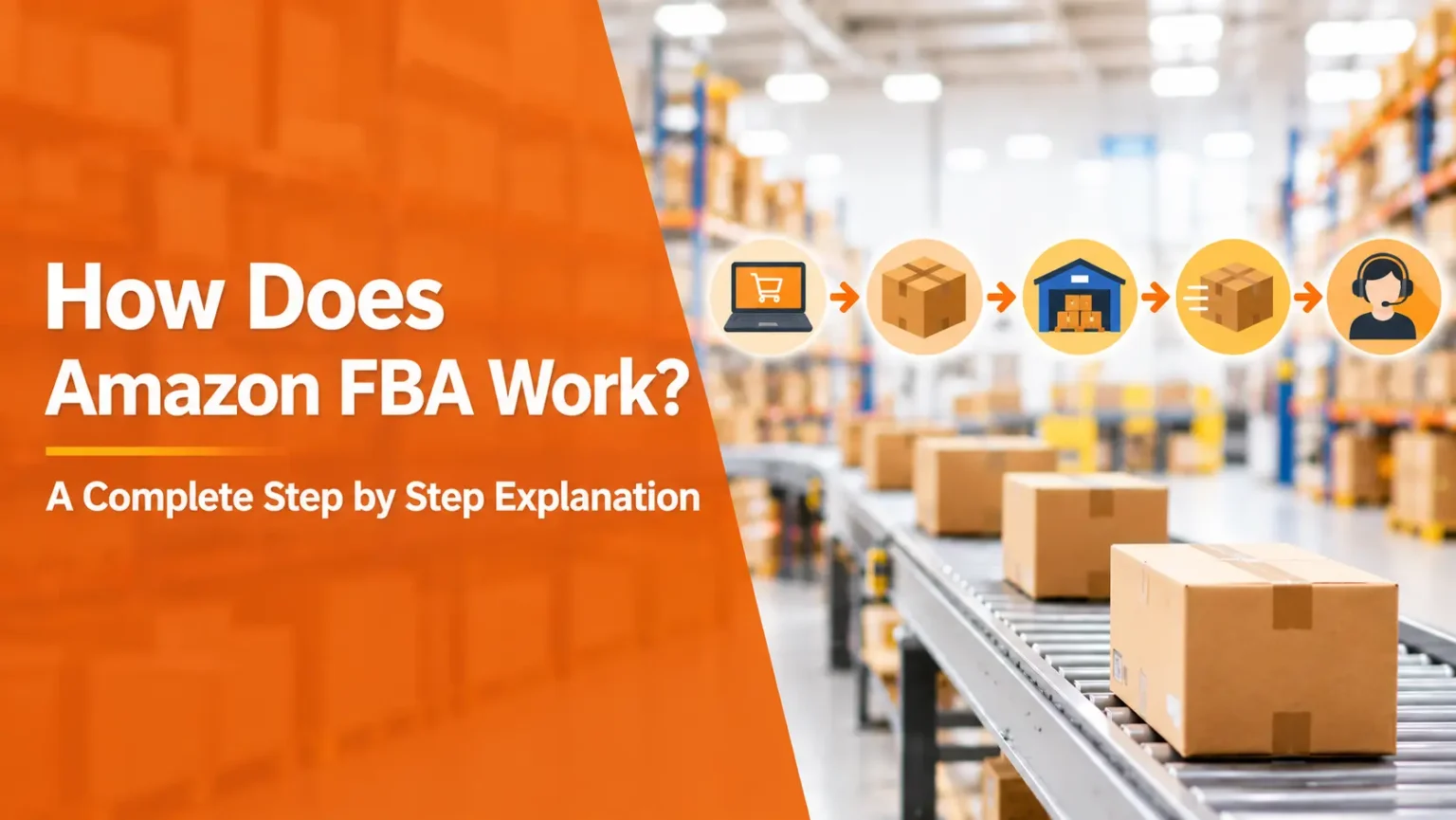
Boxes everywhere. Tape on the floor. A printer that jams at the worst moment. If that’s your picture of selling online, Amazon FBA was built to wipe it out. You send your products to Amazon, and Amazon stores them, packs them, and ships every order. That’s the pitch. Whether it fits you depends on the details, and the money details especially.
What FBA Means in Plain Terms
FBA is short for fulfillment by Amazon. You find the product, write the listing, and get stock to Amazon’s warehouses. After that, the heavy lifting belongs to Amazon. A customer orders, and Amazon picks, packs, and ships it. Returns and delivery questions go to Amazon too.
So why do people choose it? Prime, mostly. Plenty of shoppers filter for that badge and ignore everything else. If nobody knows your brand yet, borrowing Amazon’s trust is a big shortcut.
You do have another route. FBM means fulfilled by merchant, and you ship every order yourself. Some sellers run both. Say you sell something huge and awkward. Storing it in a warehouse could cost more than the profit, so shipping from home wins.
The Process, One Piece at a Time
It looks like a lot written out. In practice you do most of these once, then repeat.
Setting Up Your Seller Account for Amazon FBA
Everything begins in Seller Central. Register, choose a plan, verify who you are. Keep your government ID, bank details, credit card, and tax info close. Amazon is picky. A name spelled slightly differently from your documents can stall the whole thing. Verification sometimes takes days, so apply early.
Picking a Product
Most beginners rush this part. Big mistake, because it shapes everything after it.
Look for steady demand and a margin that still looks good once fees are taken out. Small and light products tend to win, since storage and shipping costs follow size and weight. Then find a supplier, whether that’s a manufacturer, a wholesaler, or a brand owner. Order samples before you commit. A product that looks perfect on a screen can feel flimsy in your hand, and shoppers will say so in reviews. Also check if your category needs Amazon’s approval.
Building the Listing
Treat the listing like a shop window. A clear title, sharp photos, and honest bullets do most of the selling. Use the phrases shoppers type, but don’t stuff them in. When you create the offer, pick the FBA option. Amazon then assigns a barcode to your units so it can track them.
Sending Stock to the Warehouse
Prep rules are strict. Label each unit. Protect anything fragile. Use strong boxes. In Seller Central you create a shipping plan, and Amazon tells you which fulfillment centers should receive your boxes. Print the labels, stick them on, and hand the boxes to a carrier. Amazon’s partnered carrier program can lower your rates.
One wrong label can hold up an entire shipment. Double check.
After the Customer Clicks Buy
Your stock gets checked in, and the listing shows as available. Orders arrive. Amazon handles picking, packing, shipping, customer service, and returns. Your own job shrinks to watching inventory and reordering before you hit zero.
Then comes payday. Amazon pays out on a regular schedule, after taking its fees. You still owe your supplier, your taxes, and the cash for the next order.
How Much Do Amazon FBA Fees Add Up To?
Fees stack in layers, and this is where new sellers get burned. Rates change often. Check Amazon’s official fee pages for current numbers, not a blog post (this one included).
Here’s the usual stack. A referral fee takes a slice of each sale, based on category. A fulfillment fee pays for picking, packing, and shipping, and it grows with size and weight. Storage is billed monthly and often costs more in busy seasons. Extras like long term storage, returns processing, and removal orders can sneak in. Your seller plan has its own monthly charge as well.
That’s just Amazon. Add the product itself, shipping to the warehouse, taxes, and advertising. Ads surprise people the most. A brand new listing has no reviews and no history, so without ads it can stay invisible.
Always calculate your margin after every fee. Never before.
The Good Parts and the Annoying Parts
The good first. Time. Amazon does the physical work, so you can spend your energy on research, branding, and growth. Prime helps shoppers say yes. And it scales without extra packing on your end, because ten orders and a thousand orders feel the same to you.
Now the annoying. Fees squeeze cheap products hard. Inventory mistakes hurt either way, since too much stock racks up storage costs and too little loses sales. And it’s Amazon’s game, with Amazon’s rules. One policy change or inbound shipment problem can freeze things for days. You also give up some control over packaging and the customer experience.
Is it worth it? Often. Not always. Depends on the product.
Two Sellers, Two Situations
Maria has a full time job. She sells silicone kitchen tools, ships one batch to Amazon, and checks her dashboard after dinner. About an hour a day. It works because her product is light and small. Something heavy would swallow her profit in fees.
Dan runs a small brand with dozens of products. Listings, ads, restocking, reports. It adds up to more hours than he has, and he’s starting to feel it. That’s usually the moment people begin looking for help.
When Automation Starts to Make Sense
Tasks multiply as a store grows. An Amazon FBA automation service tries to take the repetitive ones off you. Think repricing, inventory alerts, and report tracking, handled by software and trained people. Some also help with listings and ads.
Amazon FBA store management goes further. A company runs the account for you, often for a monthly fee or a share of profits. You still own the business, though. If something breaks, the responsibility stays with you.
Questions to Ask Before You Hire Anyone
Who owns the account? Who holds the logins? How do they charge, and how is profit split? What do they actually do each day, and will you get regular reports? How do they source products and follow Amazon’s rules?
Be careful with guaranteed profit promises. Prices, competition, and demand never sit still, so nobody can guarantee sales. And don’t hand over access without a written agreement.
Mistakes Worth Dodging
Most early trouble comes from a short list. Ordering too much stock on the first batch is the classic. Start small and test demand first. Pricing without counting every fee is another. Skipping samples, using weak photos, and ignoring inventory levels finish the list.
No single mistake kills a business. Several at once can drain a budget quickly. So treat your first product as practice, and keep the risk low.
Where to Go From Here
Amazon FBA takes the heaviest work off your plate. It won’t make your decisions, though. Choose a product with a healthy margin, learn the fees, and start small. Later you can decide whether to run daily tasks yourself or bring in support.
Try this today. Open a spreadsheet and run the numbers on one product idea, every fee included. Still looks profitable? Set up your account and order samples. What will you test first?